A manufacturing plant supervisor needs a replacement part. She opens the procurement intake portal, fills out a clean form, and submits it. The portal confirms receipt and promises a response within 48 hours. Behind that polished interface, the request lands in a shared inbox. Someone forwards it to a category manager on Slack. The category manager checks a spreadsheet for the approved supplier list. Two days later, the supplier is contacted by email. The PO is typed manually into the ERP. The invoice arrives six weeks later and is matched by hand against the receiving report — which was in a different system.
The intake portal did its job. The procurement process did not. This is the distinction between intake and orchestration, and it is the most important procurement infrastructure concept most organizations have not yet internalized.
The precise definition: what orchestration is and is not
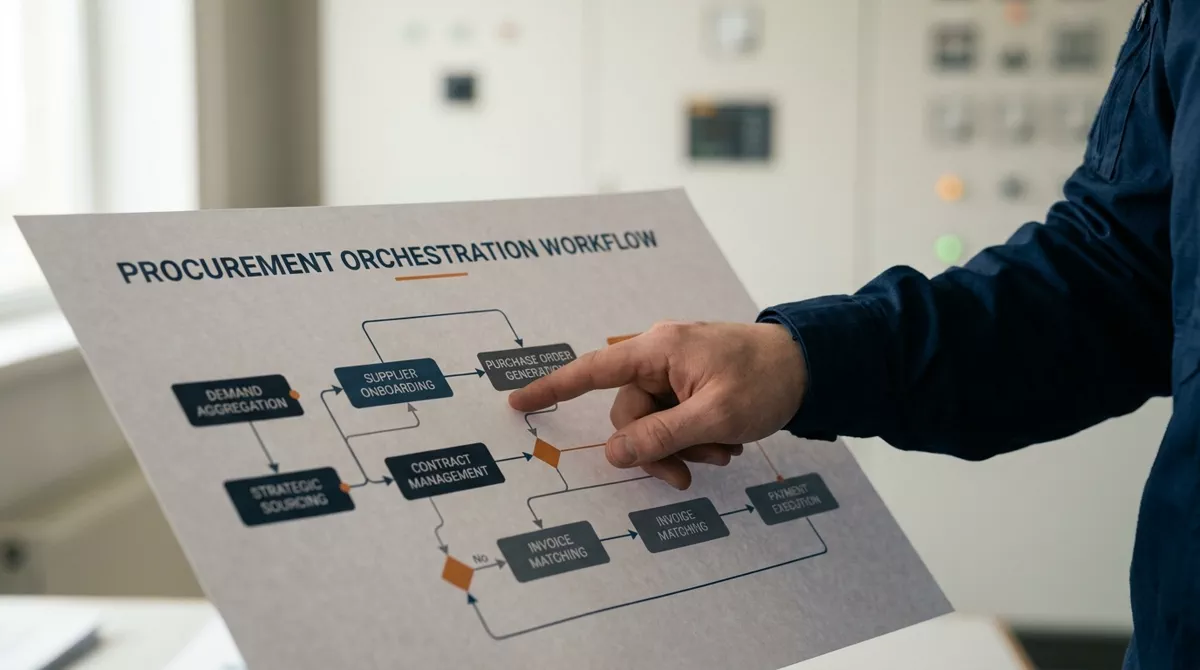
Procurement orchestration is a middleware layer that connects every step of the source-to-pay journey — intake, sourcing, contracting, purchasing, receiving, invoicing, and payment — into a single governed, event-driven workflow. It sits between the user-facing intake interface and the underlying systems (ERP, CLM, P2P, SRM, ITSM) and routes each transaction through the correct sequence based on category, value, risk level, and policy rules.
Orchestration is not an intake portal. An intake portal is the front-end interface where users submit requests. Orchestration is the logic layer that determines what happens after the request is submitted. Orchestration is also not a P2P suite — it integrates with your existing P2P, ERP, and CLM systems rather than replacing them. The orchestration layer adds governance, automation, and visibility across systems that were not designed to talk to each other.
What orchestration specifically excludes: it does not replace your ERP. It does not store supplier master data (it reads from your existing systems). It does not process payments (it routes to the payment system). It governs the flow — who approves, what triggers a sourcing event, which contract terms apply, and what compliance checks run at each step.
What happens when intake runs without orchestration
The symptoms are recognizable across most procurement organizations: approval chains that span email, Slack, and verbal conversations rather than a governed workflow. Supplier onboarding data entered separately into three systems. A risk alert in the SRM that never triggers a contract review or PO hold because the systems do not communicate. Invoices matched to POs by a person comparing PDFs to spreadsheets because the receiving system and the payment system use different data formats.
A clean request form feeds into fragmented back-end processes. Approvals happen across six channels. Compliance checks are manual. Maverick spend is invisible until the invoice arrives. Cycle time is measured in days or weeks.
A request triggers automated routing: category-based approval chains, contract terms applied by policy, supplier risk checked against SRM data, and PO generated in ERP — all without a human forwarding an email.
The Coupa/SpendMatters 2026 report on procurement orchestration describes this pattern precisely: "too many organizations stop at the front door without addressing the complexity of the workflows on the other end." The intake UX hides the chaos. It does not fix it.
The four layers of a working orchestration architecture
Organizations that implement orchestration correctly build four distinct layers. Each is necessary. Skipping any one produces intake-only procurement with a different label.
The intelligence layer is what separates 2026-grade orchestration from the workflow automation tools of five years ago. In an event-driven architecture, changes in one system propagate to others automatically. A supplier's credit rating downgrade in the SRM does not sit in a risk report waiting to be read — it triggers a PO hold on all open orders with that supplier and notifies the category manager. That is orchestration. Manual risk report distribution is not.
The failure mode: mistaking the intake portal for the finished product
The most common orchestration failure is the intake-only trap. An organization deploys a sleek procurement portal, declares the user experience problem solved, and moves on. Six months later, cycle times have not improved. Maverick spend — the 20% of spend involving 80% of suppliers that bypasses formal procurement — has not decreased. Compliance rates are unchanged. The portal is working. The process behind it never changed.
This failure is expensive because it creates organizational cynicism about procurement technology. Stakeholders who were promised a streamlined experience discover that the portal added a step (the form) without removing any of the manual work behind it. They return to emailing suppliers directly. The portal becomes shelfware — technically deployed, operationally irrelevant.
The fix is not a better portal. It is completing layers 2 through 4 before declaring the initiative done. The intake layer is the last mile of the user experience. The routing, integration, and intelligence layers are the first 80% of the work. Invert the investment: 20% on the front door, 80% on the architecture behind it.
What correct execution produces
Organizations that deploy full orchestration — not just intake — report outcomes that intake-only deployments never achieve. Coupa's aggregate customer data shows that companies with intake-to-pay orchestration capture an average of 8.1% overall spend savings. Ardent Partners' 2026 Intake & Orchestration Buyers' Guide found that fully orchestrated organizations achieve procurement cycle times averaging 27% faster than intake-only peers, with a 32% reduction in non-compliant spend.
The mechanism behind these numbers is straightforward: orchestration closes the gaps between systems that manual processes exploit. When a purchase request automatically routes through the correct approval chain based on category and value — rather than the requester choosing who to email — maverick spend drops because there is no path around the governance. When supplier risk data from the SRM triggers contract reviews automatically, compliance improves because the governance is systemic, not dependent on someone reading a report.
What this means in practice
- Audit your current intake-to-pay process by tracing three purchase requests from submission to payment. Count the number of systems touched, the number of manual handoffs, and the number of email/Slack interruptions. If the count exceeds five for any single request, you have an orchestration problem, not an intake problem.
- Map your approval chains against actual policy. Do category managers approve purchases for categories they do not manage because the routing logic defaults to "send to manager"? Policy-based routing is the first orchestration layer to fix.
- Identify one event-driven trigger to implement: supplier risk change → PO hold, contract expiration → renewal workflow, or invoice mismatch → three-way match exception. Start with one. Prove the architecture works. Then add more.
- Resist the vendor pitch that says "replace your ERP with our platform." Orchestration integrates with existing systems. Rip-and-replace projects fail at higher rates and distract from the architecture problem.
- Measure cycle time from request submission to PO issuance — not from PO issuance to delivery. The first metric captures orchestration performance. The second captures supplier performance. Most organizations track only the second and wonder why procurement feels slow.
Frequently asked questions
Can orchestration work with our existing ERP and P2P systems?
Yes. Orchestration is designed to sit on top of — not replace — your current technology stack. The integration layer connects to ERP, CLM, SRM, and P2P via APIs. The orchestration platform reads supplier data from your ERP, routes approvals through your existing identity system, and writes POs back to your P2P. No rip-and-replace required. The prerequisite is that your existing systems have APIs — if they are entirely on-premise with no integration points, the integration layer becomes the bottleneck.
How long does a full orchestration deployment take?
Plan for 6-12 months for a full deployment covering intake, routing, integration, and intelligence layers. The intake layer can go live in 4-8 weeks. The routing layer takes 3-6 months because it requires mapping every procurement policy into automated decision rules. The integration and intelligence layers take another 3-6 months depending on the number of underlying systems. Do not declare victory after the intake launch — that is when the real work begins.
Does orchestration require AI?
No. The routing and integration layers are rule-based automation — "if category is X and value exceeds Y, route to approver Z." AI becomes valuable at the intelligence layer: anomaly detection, predictive routing, and natural-language requisition parsing. But the foundation is deterministic workflow automation. If your approval chains are not automated, do not start with AI — start with policy-based routing.
Data sources
- Coupa/SpendMatters, "Top 6 Procurement Orchestration Mistakes" — spendmatters.com — accessed July 18, 2026
- Ardent Partners, "Intake & Orchestration Buyers' Guide 2026" — ardentpartners.com — accessed July 18, 2026
- Focal Point, "Procurement Orchestration Platform" — getfocalpoint.com — accessed July 18, 2026
- Kodiak Hub, "Top 10 Procurement Trends 2026" — kodiakhub.com — accessed July 18, 2026
- Gartner, "Intake & Orchestration: A New Procurement Category" — gartner.com — accessed July 18, 2026
- Deloitte, "2025 Global CPO Survey" — deloitte.com — accessed July 18, 2026